The iPhone app, in short. Skim it, or read it end to end.
what milky does
meeting notes that remember how it went
Milky listens with you during a real conversation, then writes it up: notes, decisions, action items, a follow-up you can send, and how it went. You can also use it on your own, to think out loud.
It remembers across conversations, so the people and threads in your life build up over time.
Everything is saved on your phone.
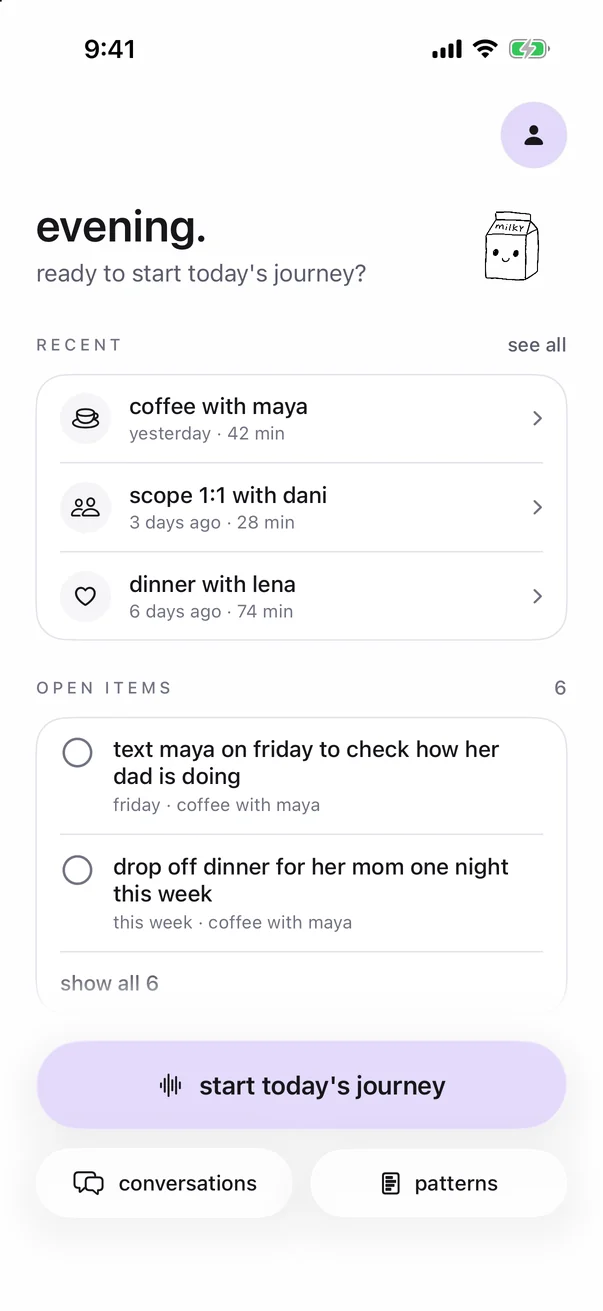
home: your latest conversations, what is still open, and start
your first session
three taps
Tap start on home.
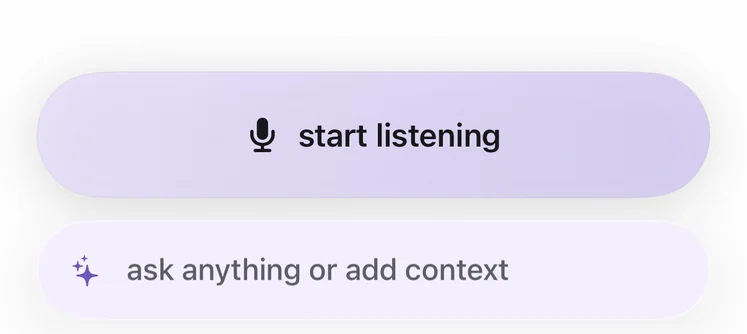
Tap start listening. Milky names the conversation, works out what kind it is, and suggests a thread when it recognizes the person.
Tap stop on the floating pill. The notes open right away and fill in over about 20 seconds. You don't have to wait on that screen.
Type some context before you start, like "this is with my dad about the move", and milky tunes to it.
Tapped stop by mistake? You get a few seconds to tap keep listening, and nothing is lost.
You can lock your phone after stopping. The lock screen shows the notes being written and tells you when they're ready.
Sessions under 8 seconds, or with almost no words, are discarded.
during a session
what you see while it listens
The screen fills with topic cards: milky's live read, sorted by what you're talking about. The floating pill holds the timer, pause and stop. Tap it for the live transcript, an assist button for a cue on demand, and a box to ask something privately.
By default milky speaks up only when it counts: someone asks you a question you haven't started answering, says your name, or uses a term you might not know (defined once, in a line). Cues appear quietly, no buzz.
Want fewer or more? Settings → how milky speaks: on ask (only when you tap) or chatty (regular coaching).
Want it quiet? Tap cues on at the top of the live transcript. Milky keeps taking notes, and the choice sticks.
Your lock screen shows the timer and the latest cue.
vibes
tell milky what kind of conversation it is
Hangout, date, meeting, interview or journal. The vibe changes what milky listens for and how it cues. Skip it and milky works it out in the first minute or so.
Tap the selected chip again to go back to auto.
Switch vibes mid-session and milky adjusts.
Journal is for thinking out loud alone: no cues, and the write-up pulls out what you decided, your to-dos, the ideas worth keeping and what's still open.
after the session
notes, the read, and the transcript
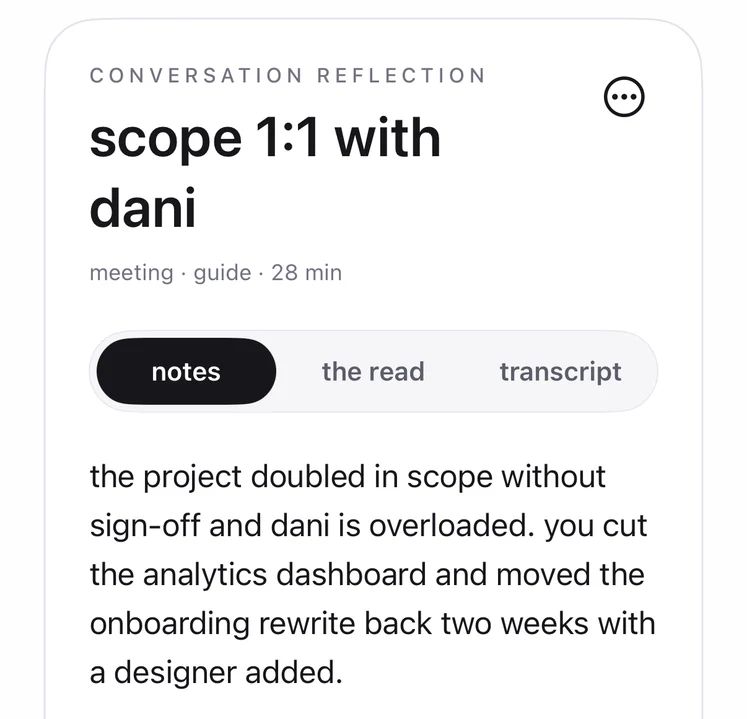
Every conversation gets three tabs.
notes
The factual record: summary, action items, decisions, what you covered and what's still open. After meetings and interviews milky also drafts a follow-up you can edit and send.
the read
How it went: how the other person came across, the key moments, what went well, what to try next time, and the openings you missed, each with a line you could use.
transcript
Every word, with the moments milky marked: hesitation, a dodged question, pushback, a commitment, warmth, relief. Each mark says which words it's based on.
Tap a marked moment in the transcript to see why it was marked. Long-press it to change or remove the mark.
Everything in notes is editable. Tap any text to change it.
In action items, return adds the next one and clearing an item removes it. Long-press an item to mark it done or delete it; you get a moment to undo.
your notes is a free space for your own thoughts. Milky reads it when you ask about the conversation.
Sections you changed show edited. Tap the title to rename the conversation.
ask milky
do something with a conversation
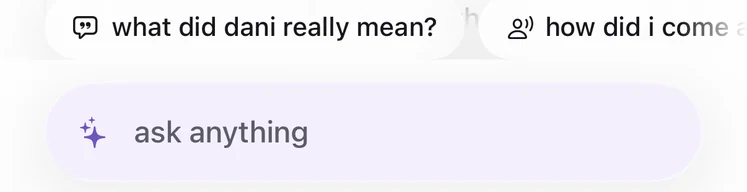
At the bottom of every conversation there's an ask anything bar with ready-made asks: write a follow-up, list action items, prep me for next time, what did they really mean, how did I come across, help me make it right. Tap one, or ask anything about that conversation.
threads
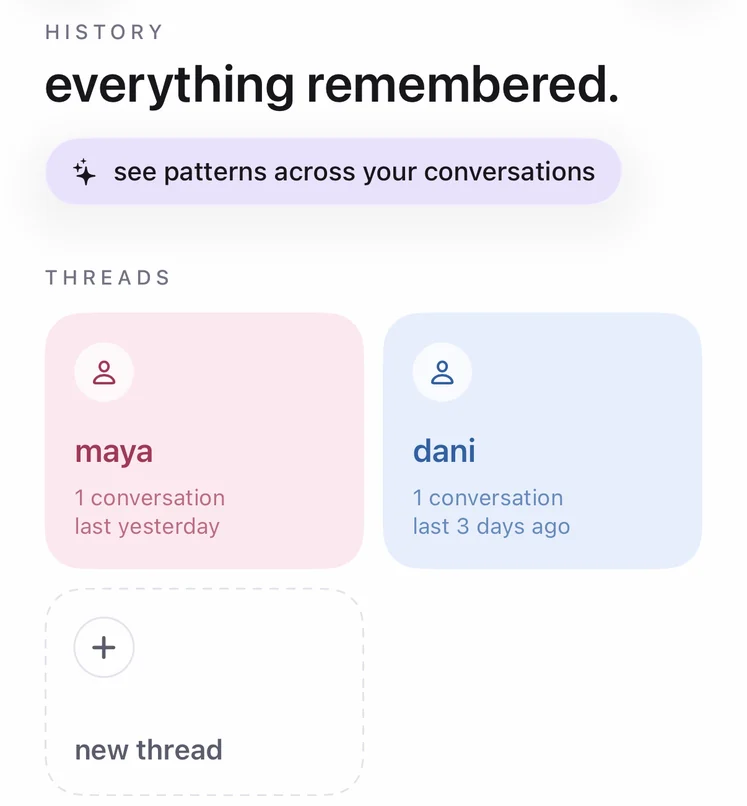
everything with one person, team or project
File a conversation under a thread from the chip at the top of it; milky suggests one when it recognizes the person. A thread page shows what milky remembers, what's still open and every conversation, newest first. Start a session from there and milky opens with what happened last time.
Create a thread before you've talked: history → threads → + new.
Each thread has a colour. Change it, the name or the kind from the thread's menu.
Deleting a thread keeps its conversations; they just become unfiled.
memory and patterns
milky remembers you
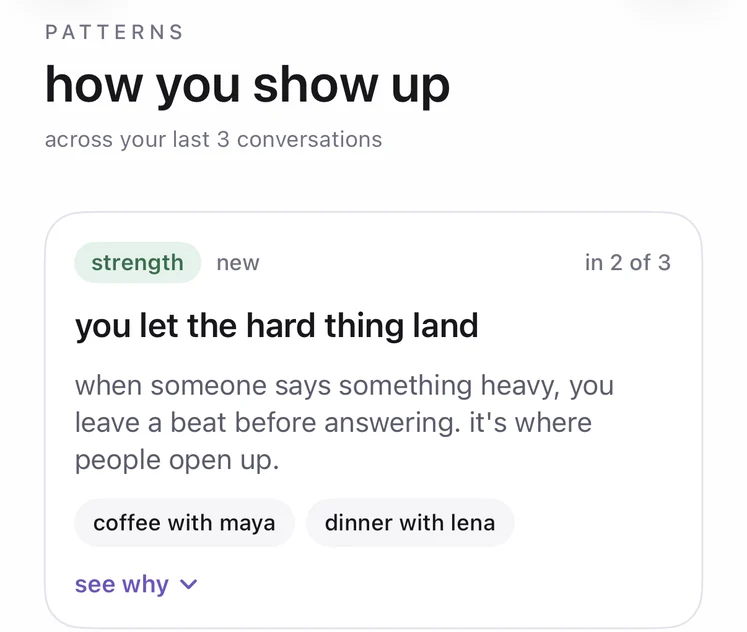
After every session milky updates a small private profile: the people who keep coming up, what you've been working on, and the help you use most. After three conversations, patterns shows how you show up: strengths, blind spots and habits, each linked to the conversations it comes from.
If a pattern doesn't sound like you, tap is this right? → not really. Milky drops it and won't bring it back.
Ask across all your conversations from the bar at the bottom of patterns. Answers cite the conversations they use.
The numbers are counted on your phone, not guessed. The profile lives there too; delete it in settings → privacy & data.
how milky talks to you
four voices
Gentle, direct, curious or roast. Pick one in settings → you, or just tell milky in a message ("be gentler") and it switches on the spot.
privacy
what leaves your phone
Your conversations, notes and profile are stored on your phone. Transcription happens on the device unless you choose cloud in settings → privacy & data. To write cues and notes, only the transcript text is sent to an AI service, never the audio.
Only record people who know you're recording. In many places that's the law.
Export or delete everything in settings → privacy & data.
There's a cap of 30 sessions a month, about one a day. If you reach it you'll see a note, and it resets at the start of the next month. Discarded sessions don't count.
To change plans or cancel: settings → milky pro → manage subscription, or subscriptions in your iPhone settings.
Cancel any time; you keep access until the period ends.
Your conversations stay on your phone after you cancel, and unlock again if you come back.
when something is off
a few things to try
No transcript? Check microphone and speech recognition in your iPhone's Settings → milky.
The write-up didn't finish? Tap retry. The transcript is safe.
Wrong vibe? Pick one from the chips.
Wrong voice? Change the coach style, or ask in a message.
milky for mac
coming soon
Milky for Mac sits over your calls on Zoom, Meet or Teams. It asks a minute before a meeting starts and writes the notes on your Mac, with no bot in the call. This page will cover it when it ships.
get in touch
found a bug, or want something?
Write to [email protected]. Carlos, who makes milky, reads everything.